THE SIGNAL IN ONE SENTENCE
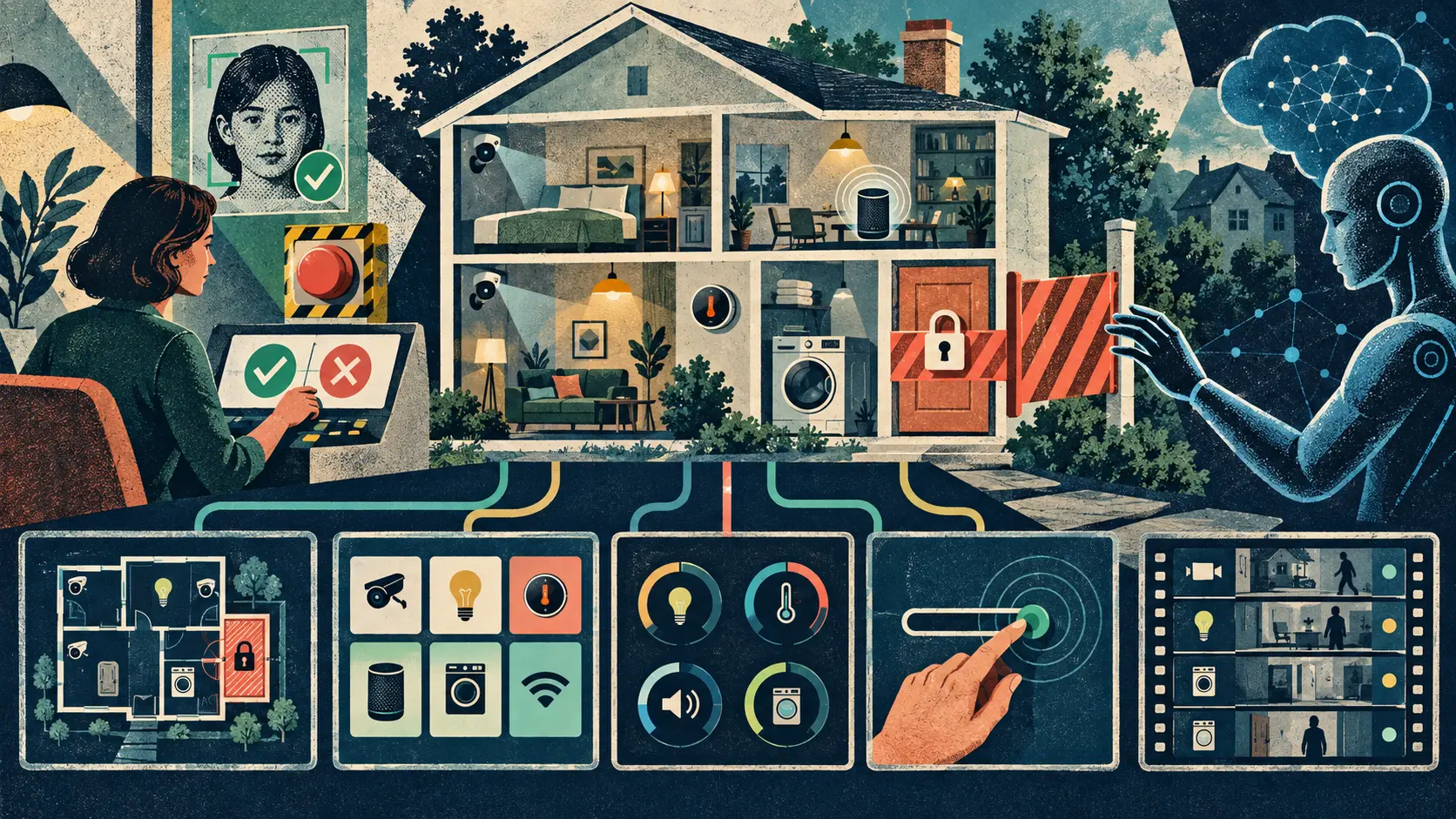
Google has opened an early-access bridge between Google Home and outside AI agents. A person with the right subscription, account, region and technical setup can connect an MCP-compatible client, let it discover a home and its devices, read current states, examine event history and perform supported actions. That can turn a request such as checking what happened after school, switching off outside lights or sending a message through a speaker into a multistep agent task. It also puts cameras, household routines and physical equipment behind a general-purpose conversational interface. Google blocks sensitive commands such as unlocking a door and warns that connected agents can still behave unexpectedly. The service does not yet create or manage automations, and several features require separate consent. The plain signal is that Google did not add a smarter light switch. It gave outside AI clients a standard tool belt for a real home. The useful future is not unrestricted control. It is a home that knows which agent may see which room, history and device, which changes need a person, and how to stop, inspect and reverse the work.
01
WHAT ACTUALLY CHANGED
Google began rolling out Home MCP in early access in the United States for English-language users of Google Home Premium Advanced. The official announcement describes connections to MCP-capable clients including Google Antigravity, Claude, Hermes and OpenClaw. This is a limited technical release, not a feature switched on for every Google Home household.
The interface exposes five core tools. An agent can list available homes, list resources such as rooms and devices, read current states, run supported home actions, and query historical events. That is a compact surface with broad consequences: discovery tells the agent what exists, state tells it what is happening, history tells it what happened, and actions let it change the physical environment.
Google presents uses that go beyond voice control. An agent might review camera activity after school, analyze how often an appliance ran, measure how long lights remained on, announce that a long-running task has finished through a speaker, or build a custom dashboard. The common thread is orchestration across devices and time rather than one command to one device.
Setup is deliberately not one click. The user needs an active Google Home, a qualifying subscription, a Google Cloud project and an MCP-compatible client. The user enables the Home API, configures an OAuth consent flow, supplies the client configuration, signs in, selects a home and grants permissions. The connected client can later be removed from the Google Home app or Google Account.
Google has installed some hard boundaries. Its developer guide says Home MCP prohibits sensitive actions such as unlocking doors. Creating or managing household automations is not supported yet. Access to familiar-face information requires separate consent, a compatible camera or doorbell, the relevant subscription feature and authorization from a person who manages the home.
The release still carries explicit risk. Google says rate limits and safety protections apply, but also warns that an agent can behave unexpectedly or undesirably. It tells users in shared homes to inform other household members and suggests a separate home for development and testing. Those warnings matter because an agent can be logically mistaken without being technically compromised.
Google documents known limitations. Some experimental device traits may not work, responses can be slower than expected, and actual control depends on the resources, traits, permissions and services available in the chosen home. The phrase all devices should therefore be read as access across the connected Home ecosystem, not a promise that every product supports every requested command.
02
WHY THIS MATTERS
A smart-home command can change light, heat, sound, visibility, energy use, privacy and physical access. That makes a household different from a calendar or note-taking tool. The cost of a wrong action is not only an incorrect answer on a screen. It can wake a child, expose a camera history, leave an appliance running or change the conditions of a shared space.
MCP makes the connection reusable. A household does not need a custom integration for each assistant if clients can discover the same tools through a shared protocol. That lowers the cost of experimentation and competition. It also means the safety case cannot live inside one polished first-party app. Each outside client brings its own planning behavior, memory, logs, approvals and security practices.
The five tools should not be treated as one permission. Listing a thermostat, reading its current temperature, inspecting weeks of history and changing its set point are different capabilities. Camera clips, familiar faces, speaker announcements and door controls carry different social and physical stakes. A useful permission system should separate discovery, live state, historical data and action by device, room, person and time.
History is often more revealing than a single snapshot. Repeated camera events, appliance cycles, lighting patterns and thermostat changes can expose work schedules, sleep, school routines, absences and relationships. A household may be comfortable letting an agent switch off a lamp while refusing to let it reconstruct who was home all week.
Shared homes complicate consent. The account holder who can connect a service is not the only person observed or affected by it. Partners, children, roommates, guests, carers and workers may appear in camera events, hear speaker messages or experience device changes. Google tells users to inform household members, but meaningful governance needs persistent visibility and controls rather than one conversation at setup.
Blocking door unlocks is a sensible bright line, but risk does not end at the lock. Turning off a camera, changing heating during severe weather, operating an appliance, announcing private information through a speaker or repeatedly toggling devices can matter. Product teams need a method for ranking consequences, not a short blacklist that makes everything else look equally safe.
The strongest version of this system can make homes more accessible and less fiddly. People could ask for a summary instead of digging through several apps, coordinate energy use, check a distant relative's devices with consent, or build interfaces suited to disability and language needs. Those benefits become durable when the person can understand what the agent will do, approve consequential steps and review the result afterward.
03
WHERE IT COULD HELP
- Start with view-only access and let the agent inventory the selected home, devices, rooms and available traits before any control tool is enabled
- Create separate grants for device discovery, live state, event history, camera media, familiar faces, speaker output and physical actions instead of treating the entire home as one permission
- Require confirmation that names the exact home, room, device, command and parameter before a consequential action, then show the resulting state rather than assuming the command worked
- Use device allowlists, quiet hours, occupancy checks and consequence tiers so a porch light, thermostat, washing machine, camera and lock never inherit the same operating policy
- Keep an understandable action trail showing the requesting person, connected client, tool, device, old state, new state, time, source data and any failure or override
- Make revocation immediate and obvious, test new clients in a separate home when possible, and preserve a simple manual path for stopping, reversing or taking over every supported action
KEEP A HAND ON THE WHEEL
Home MCP remains an early-access release limited to English-language users in the United States with Google Home Premium Advanced, an active Google Home, a Google Cloud project and a compatible client. Eligibility and exact rollout timing can vary. Google blocks sensitive actions such as unlocking doors, and creating or managing automations is not supported. Familiar-face access has a separate consent flow and requires authorization from a home manager plus compatible hardware and settings. Experimental traits may fail, responses may be slow, event history depends on the household's devices and services, and supported actions vary by resource and permission. Google warns that agents can still behave unexpectedly or undesirably. Its Home documentation does not establish how every outside client stores prompts, memories, action logs or retrieved household data. No independent dataset yet shows error rates, unsafe-action rates, confirmation quality or household understanding across clients and devices. Watch for broader country and language access, per-device and per-tool permission controls, confirmation rules, a complete action-support matrix, stronger shared-household notices, independent testing, incident reports, retention controls, client-side privacy disclosures, automation support and evidence that revocation reliably stops every active session.
04
TERMS WORTH KEEPING
OPEN GLOSSARY CARD
Human control
The practical ability and authority of people to understand, direct, interrupt or stop an automated process before unacceptable harm occurs.
OPEN GLOSSARY CARD
MCP
A shared connection method that lets AI apps discover and use outside tools.
OPEN GLOSSARY CARD
Capability gate
An access control that allows some model capabilities only for approved users or purposes.
SOURCES AND VERIFICATION STATUS
This article was written from the materials below. Product claims and dates were checked against those sources on September 19, 2026.
THE PUBLICATION ENGINE
WANT A SIGNAL OF YOUR OWN?
We build source-grounded publications, private briefings, and editorial systems for organizations with something useful to say.
WORK WITH US