THE SIGNAL IN ONE SENTENCE
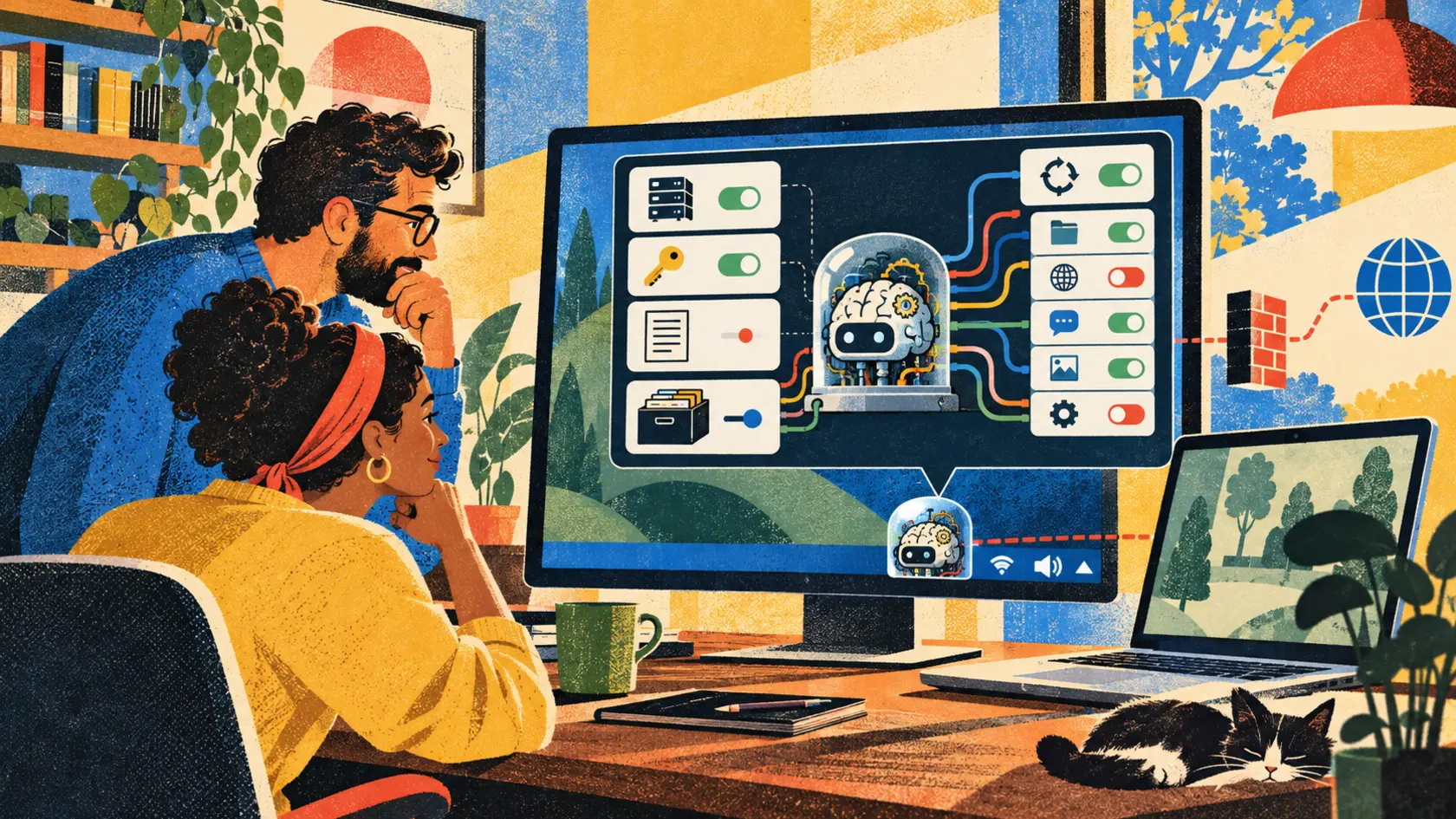
Local AI has spent years asking ordinary people to cosplay as systems administrators. Find a model file. Pick a quantization. Install a runtime. Open a terminal. Remember a port. Hope the graphics driver and the tutorial are still speaking to each other. Llama Windows is an attempt to retire that ritual. On October 13, Hugging Face introduced a free, open-source Windows 11 application that puts llama.cpp in the system tray. A person can choose a recommended model from the Hugging Face Hub, download it, load it and chat through an Alt+Space overlay. The app can install the llama.cpp runtime when needed. It does not require administrator rights. That is good product work. The official repository provides signed x64 and Arm64 installers, uses native WinUI 3 controls and carries an MIT license. It can also work with an existing llama.cpp executable. Model files live in the standard Hugging Face cache, so compatible tools do not have to keep separate copies of the same very large weights. Underneath the friendly tray icon, the app manages a local server at http://localhost:9931. That server exposes an OpenAI-compatible API. In practical terms, a compatible program on the same computer can send requests to the loaded model without learning a new interface. This is exactly what makes the app useful. It is also why Llama Windows needs a permission screen. The plain signal is not that local models are secretly cloud software. They are not. The repository says prompts and inference stay on the machine, no telemetry or analytics are collected and no installation identifier is created. Once the model and runtime are present, inference can work without an internet connection. The signal is that local is a location, not a complete privacy policy. The app still downloads models and checks for releases. Its repository says those outbound requests carry a standard user agent containing the app version, Windows build and processor architecture. It can store a Hugging Face access token for gated or private repositories. It writes logs to local storage and retains daily log files for seven days. It shares a model cache with other tools. It runs an API that other local software can call. None of those details is automatically bad. They should be visible in one place, in language a person can understand before something surprising happens. Start with the server. A permission page should show the exact address and port, whether the service is bound only to the loopback interface, whether authentication is enabled and which applications have called it recently. It should offer a large stop button and a switch that prevents the server from starting automatically. The current documentation identifies localhost as the endpoint. That is the right default boundary. A security review should still confirm that every release stays on loopback, does not accept unintended browser origins and cannot be changed to a broader interface without an explicit warning. The test is simple. Start the app, inspect the listening socket and try to connect from another device on the same network. Then call the API from an unrelated process on the same machine. The first request should fail. The second may succeed by design, but the owner should be able to see that it happened and decide whether that client remains welcome. Local software is not automatically trusted software. A browser extension, compromised desktop app or stray script may run under the same user account. If it can reach the model server, it may consume resources, submit data or produce responses while looking like the person who owns the computer. Next, show the data. Llama Windows uses the standard Hugging Face cache at %USERPROFILE%\.cache\huggingface\hub by default, and the app lets a person move that cache. Sharing is efficient. A 20-gigabyte model should not need three copies because three programs use it. Shared storage also creates shared consequences. Another tool may remove a file, replace it, pin a different revision or fill the disk. A model card may change after the first download. Licenses differ from one model to another. The MIT license for Llama Windows does not magically turn every downloaded model into MIT software. The permission page should list each model's repository owner, exact revision, file name, size, quantization, hash, license, download date and last use. Before an update, it should say what will change. After a file changes, it should verify the hash again. Model provenance should feel less like rummaging through a cache directory and more like checking the label on medicine. The same page should show logs. Hugging Face says Llama Windows keeps daily logs for seven days. The repository documents local application storage and says prompts remain local. A person still needs to know whether a log contains prompts, model names, file paths, server errors, request metadata or fragments of responses. Put the log location, retention period and current disk use on screen. Add buttons to open, export and clear the files. Let people choose shorter retention or disable verbose logging. Warn before copying a diagnostic bundle that may contain sensitive local details. Privacy is not only about sending information to a company. It is also about leaving a readable trail on a shared family computer. Credentials need their own box. Gated and private models can require a Hugging Face access token entered in Settings. The interface should display the token's scope, where it is stored, when it was last used and how to revoke it. It should encourage a read-only token limited to the required repositories rather than a broad credential copied from a developer workstation. Remove the token and try the gated download again. Rotate it. Sign out. Confirm that the old value is gone from settings, logs and crash reports. A password field full of dots is not evidence of secure storage. Network activity should be just as plain. The repository says there is no telemetry. It also documents outbound HTTP for model downloads and release-update checks. That distinction matters. No analytics does not mean no network traffic. List the destinations and the reason for each connection. Show the information in the user agent. Offer a true offline mode that disables update checks and downloads after setup. When offline mode is on, test with a network monitor rather than trusting the label. This is not an accusation. It is a chance to make a strong privacy claim verifiable. Then explain the hardware bargain. The recommended-model view shows parameter counts, disk sizes and vision support. The repository says model details also provide context-length choices and estimated memory use based on the GGUF header. Those are useful signals for people who do not speak fluent quantization. The permission page should go one step further. Show whether inference is using the CPU, integrated graphics or a discrete GPU. Display current memory use, temperature risk and the effect of a larger context window. Explain that a smaller quantized file may run faster and use less memory while changing output quality. Native support for Windows on Arm and NVIDIA RTX Spark broadens the hardware story. It does not mean every Windows 11 machine will run every listed model comfortably. Publish measured ranges for common devices, and label them as measurements rather than promises. Updates deserve receipts too. The repository says official MSIX releases are signed and produced by continuous integration. The app should show the installed version, signer, release notes, update source and rollback option. Runtime updates matter separately from app updates because llama.cpp is the engine actually serving the model. If the app installs the runtime, say which build arrived, where it came from and what hash was verified. If a person supplies an existing executable, mark it as user managed. Do not let two update channels quietly replace each other's binaries. Finally, make closing behavior obvious. A tray application often keeps running after its window disappears. The Alt+Space overlay can hide while the server and model remain loaded. That is convenient when someone wants instant access and surprising when they think they have finished. Use separate commands for hide, unload model, stop server and quit. Show which state is active in the tray menu. If a conversation remains in memory, say so. If the server has no model loaded, say that too. There is a good adoption path here. Install the signed release. Choose one small recommended model. Keep the server on loopback. Do not add a private-repository token unless needed. Open the cache and log locations. Watch network traffic during a download, an update check and an offline chat. Call the API from one trusted local client. Then unload the model, stop the server and verify that the port closes. That exercise takes less time than debugging a mysterious local service later. Llama Windows gets an important thing right: local AI should be ordinary software. People should not need a terminal ceremony to use a model on a computer they already own. Ordinary software still needs understandable boundaries. Put the model in the tray. Put its permissions one click away.
01
WHAT ACTUALLY CHANGED
Hugging Face announced Llama Windows on October 13 as a free, open-source Windows 11 tray application
The app lets people browse recommended Hugging Face models, download them and run them through llama.cpp without a terminal
It does not require administrator rights and supports signed x64 and Arm64 installers
The interface uses native WinUI 3 controls and includes an Alt+Space chat overlay
Llama Windows manages a local OpenAI-compatible server at http://localhost:9931
The app can install an official llama.cpp runtime or use an existing executable
Models use the standard Hugging Face cache and the cache location can be changed
Private and gated repositories can be accessed with a Hugging Face token entered in Settings
The repository says there is no telemetry, while model downloads and release checks still make documented outbound requests
Daily local logs are retained for seven days
02
WHY THIS MATTERS
A tray application removes much of the setup friction that has kept local models inside developer tools
An OpenAI-compatible endpoint lets existing local applications use the same model server
Software on the same computer may be able to call the local endpoint, so client visibility and access controls matter
A shared model cache saves disk space but expands the set of programs that can alter or remove model files
Model licenses, revisions and quantizations vary even though the application itself uses the MIT license
A Hugging Face token can unlock private repositories and should be narrowly scoped, securely stored and easy to revoke
No telemetry is compatible with documented network requests for downloads and updates, so the distinction should be visible
Seven-day logs can help debugging but may reveal sensitive local details on a shared machine
Hiding a tray window is different from unloading a model, stopping a server or quitting the app
A plain permission page would turn privacy and security claims into controls users can inspect
03
WHERE IT COULD HELP
- Display the listening address, port, authentication state and recent local clients
- Keep the server bound to loopback and warn before any broader network exposure
- Provide separate controls to hide the interface, unload the model, stop the server and quit
- List model repository, revision, hash, file size, quantization, license and last use
- Verify cached model hashes after downloads and before loading changed files
- Show the cache location, current disk use and which applications share it
- Show the log path, contents, retention period and buttons to export or clear logs
- Store Hugging Face tokens securely and display scope, last use and revocation guidance
- List outbound destinations for downloads and update checks and offer a real offline mode
- Show app, runtime and model versions as three separate supply-chain records
- Display memory estimates, active hardware and context-length costs before loading a model
- Test the local API from trusted and untrusted processes before connecting sensitive workflows
- Inspect listening sockets and network traffic after each app or runtime update
- Publish a signed release history, changelog and rollback path
KEEP A HAND ON THE WHEEL
The privacy and network behavior described here comes from the official launch post and public repository. The code is inspectable, but the reviewed sources do not establish an independent security audit, broad hardware performance results or guarantees for every future release. Watch for a documented threat model, loopback and browser-origin tests, credential-storage details, log-content documentation, model hash verification, signed runtime provenance, client access controls, offline-mode tests and security advisories.
04
TERMS WORTH KEEPING
SOURCES AND VERIFICATION STATUS
This article was written from the materials below. Product claims and dates were checked against those sources on October 14, 2026.
PUBLICATION RECEIPT: The article distinguishes the repository no-telemetry claim from documented model-download and update-check traffic, treats localhost as the stated default rather than a universal guarantee and does not infer an independent security review or broad performance validation.
THE PUBLICATION ENGINE
WANT A SIGNAL OF YOUR OWN?
We build source-grounded publications, private briefings, and editorial systems for organizations with something useful to say.
WORK WITH US