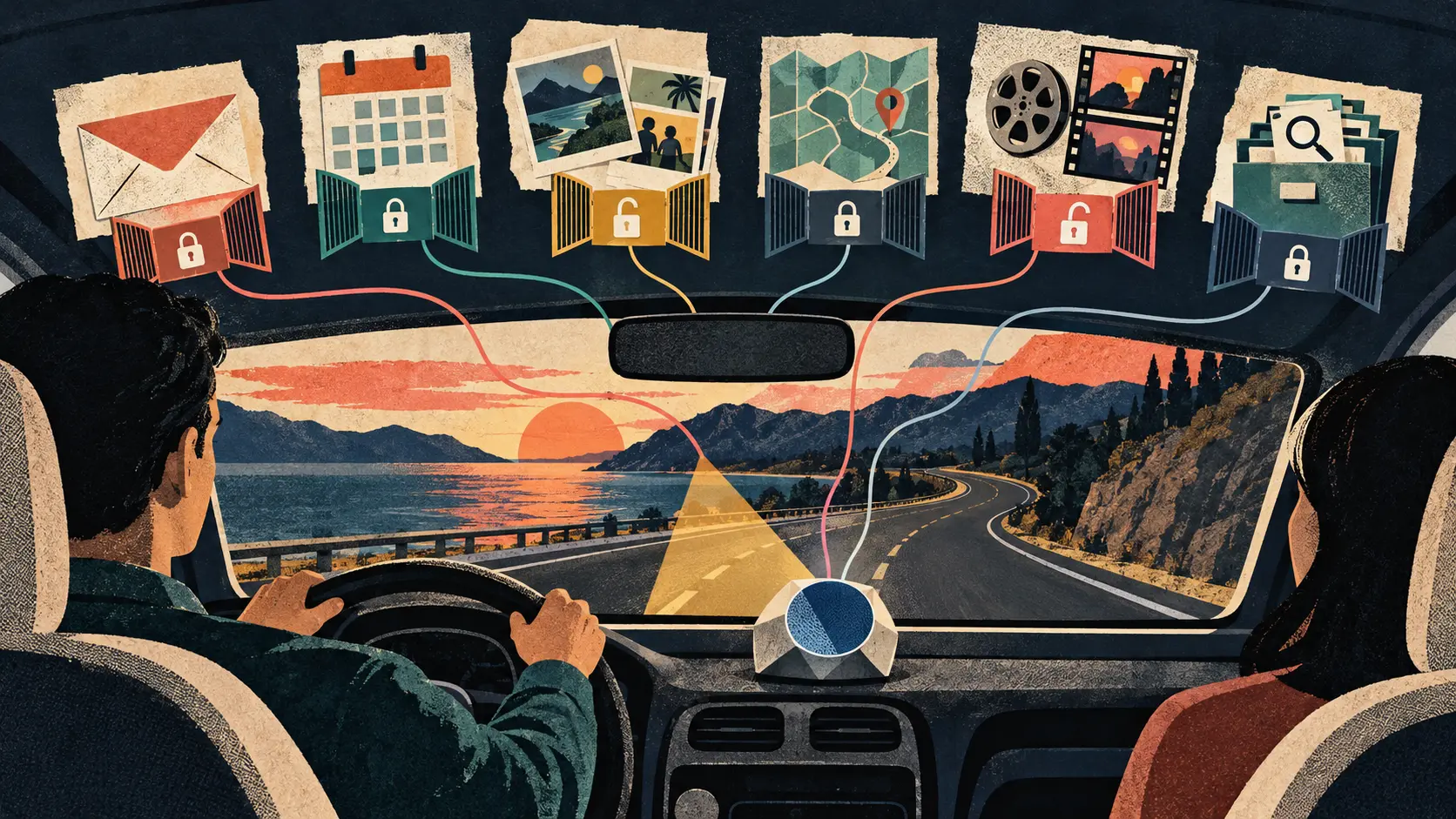
THE SIGNAL IN ONE SENTENCE
The car is becoming the place where your assistant knows just enough to be dangerously convenient. Google announced on October 20 that Personal Intelligence is beginning to roll out on Android Auto. If you opt in, Gemini can connect information across Google Workspace, including Gmail and Calendar, plus Google Photos, Maps, YouTube and Search. The pitch is simple. Keep your hands on the wheel, speak naturally and let the assistant do the digging. Ask for your flight gate and delay status without finding the confirmation email. Ask it to navigate to the doctor's appointment on your calendar. Ask for the car wash from a photo you took last week. Ask for a restaurant along the route that matches your usual preferences. This is genuinely useful. It is also a lot of personal context entering a shared, moving room. The plain signal is this: permission is not attention. Permission answers whether Gemini may access an app. Attention asks whether the resulting interaction is appropriate while a person is controlling a vehicle. Those are separate boundaries. Google says Personal Intelligence is opt-in. Apps are not connected until the user chooses to enable them, and individual connections can be changed in Gemini settings. For cars with Google built-in, Google says personal responses are provided only when the user is in the car with the phone connected. Good. That is an identity and access boundary. It does not tell us whether a request is too cognitively demanding for the current moment, whether a spoken answer reveals a private detail to a passenger or whether a wrong result will cause the driver to argue with the assistant while merging across traffic. Google's own support material warns that Gemini can hallucinate or return outdated information, including an older email when a more recent one exists. It tells users to review the sources listed after a response. That is reasonable advice on a laptop. It gets awkward at 65 miles per hour. A driver should not need to inspect citations, compare email dates or untangle which app supplied a personal detail while the car is moving. The car experience therefore needs an attention boundary in addition to an app-permission screen. Start with the source. Every personalized response should indicate, in the smallest useful way, which connected app supplied the decisive fact. If Gemini says the flight leaves from Gate 22, the response should say whether that came from a Gmail confirmation, Calendar event or live Search result. The spoken version can stay short. The post-drive receipt can show the full trail. Next, show freshness. An email-based answer should include the message date or say that a newer source may exist. A calendar answer should distinguish a current event from an old appointment with a similar name. A photo-based result should identify when the photo was taken. A saved place should not be presented as if it were verified to be open now. Then separate reading from acting. Retrieving a gate number is one thing. Starting navigation is another. Editing a calendar event, sending a message or sharing a location would be another step again. The assistant should name the action before it takes it, especially when a mistaken source could send the driver to the wrong destination or expose private information. Google's announcement focuses on retrieval and personalized answers. It gives examples that lead into navigation. It does not establish a universal policy for every downstream action an assistant might eventually take from connected personal data. That boundary should be explicit in the product. The car should also understand audience. A phone screen is usually personal. A dashboard speaker is not. The cabin may contain a partner, child, colleague, rideshare passenger or borrowed-car driver. A request like take me to my doctor's appointment can reveal a provider name, clinic type or location. A request about a flight can expose travel plans. A personalized restaurant answer can reveal stored preferences or prior conversations. The system does not need to guess who is listening. It can default to discretion. Before speaking sensitive details, it could say that it found a private result and offer to show it on the connected phone when parked. A passenger-safe mode could restrict answers from Gmail, Calendar, Photos and Wallet-derived context while leaving public Search and navigation available. The most useful control may be temporary. Do not make drivers excavate a permanent settings page every time somebody gets into the car. Give them a one-trip privacy mode, a passenger mode and a clear spoken way to stop using personal sources for the rest of the drive. The rollout details matter. Gemini itself is available globally on Android Auto and cars with Google built-in. Personal Intelligence begins rolling out on Android Auto now and is planned for cars with Google built-in in the coming months. The personalized feature is not literally global at launch. Google says it is rolling out to eligible personal Google accounts for users 18 and older. Workspace business, enterprise and education accounts are excluded. The European Economic Area, Switzerland, the United Kingdom and Nigeria are also excluded from the current rollout. If Personal Intelligence is already enabled in the Gemini app, Google says the setting carries into Android Auto. That convenience is worth surfacing clearly the first time the car uses it. People may have enabled personalization while sitting on a couch, then discover later that it follows them into a shared dashboard. The product should not treat old consent in one context as proof of current attention in another. The first in-car use should name the connected categories, explain that responses may be spoken aloud and offer a quick trip-level choice. This is particularly important because the connected-app model is broader than a single inbox permission. Google says Personal Intelligence can connect and understand information across apps. The point is not only to fetch one email. It is to reason across sources. That creates useful combinations. It also makes mistakes harder to diagnose. If the assistant finds a flight confirmation in Gmail, a departure time in Calendar and live delay information in Search, which source wins when they disagree? If a photo provides a business name but Maps points to several locations, how does the assistant decide which one to navigate to? The driver should not receive a confident synthesis that hides a source conflict. The safer response is short and honest: I found two different times. I can read them when you are stopped. Abstention is an attention feature. So is deferral. The system should classify requests by driving demand. Simple retrieval can be read aloud. Ambiguous or multi-source conflicts can wait. Anything requiring comparison, correction, account settings or a long explanation should move to a parked state. Android's existing car-app quality rules already recognize that not every phone interaction belongs on the road. They restrict video, games and browser interfaces while driving; require short-form messaging patterns; prohibit long-form email apps; limit certain purchase flows; and tell apps that need a phone permission screen to instruct users to look only when it is safe. Personal Intelligence deserves the same discipline even though it arrives through conversation rather than an app grid. Voice removes visual and manual work. It does not remove mental work. A National Highway Traffic Safety Administration study of voice-based in-vehicle interfaces found significant degradation in driving performance during the secondary tasks it tested. The researchers concluded that voice interfaces were not sufficient to eliminate cognitive distraction. That study used older simulated information and phone tasks, not Gemini, so it does not measure this product. It does establish the useful caution: eyes on the road is not the same as mind on the road. Google has not published a driver-distraction evaluation for these Personal Intelligence scenarios in the announcement. It has not reported error rates for cross-app answers in cars, rates of source conflict, privacy incidents in shared cabins or how often drivers attempt to correct the assistant while moving. Those are the numbers worth watching. Measure task duration from the first prompt to the final action. Count clarification turns. Track how often a request is deferred until parked. Record whether drivers interrupt or correct the assistant. Test responses with passengers present. Evaluate high-noise cabins, poor connectivity, accents and ambiguous contact or place names. Most importantly, preserve a receipt. After the drive, the user should be able to see the request, connected sources accessed, decisive records, freshness, spoken response, action taken and any uncertainty the system detected. The receipt should distinguish public information from personal data and show whether each source was read, summarized or used to trigger an action. That record should not become a new privacy problem. Keep it user-controlled, minimize retention, protect it behind account access and let the user delete it without disconnecting every app. The dashboard does not need to become a courtroom transcript. It needs enough memory to answer a simple question later: why did the car tell me that? Personal Intelligence makes Gemini more useful because it collapses several searches into one conversation. In a car, that same compression can hide how much information the driver is processing and how many private systems were consulted. Google has built an opt-in door to the data. Now the product needs a second door for the road. Let the assistant know when to answer, when to shorten, when to keep quiet and when to wait until the car is parked.
01
WHAT ACTUALLY CHANGED
Google announced Personal Intelligence for Gemini in cars on October 20
Personal Intelligence begins rolling out on Android Auto immediately
Google says cars with Google built-in will receive it in coming months
The feature can connect information from Gmail, Calendar, Photos, Maps, YouTube and Search
Google positions the system as hands-free retrieval and cross-source reasoning while driving
Example requests include flight details, appointments, route-based restaurant suggestions and places found in photos
The feature is opt-in and connected apps can be changed in Gemini settings
For cars with Google built-in, personal responses require the user to be present with the phone connected
Existing Personal Intelligence settings in the Gemini app carry into Android Auto
The current rollout is limited to eligible personal accounts for users 18 and older
Workspace business, enterprise and education accounts are excluded
The European Economic Area, Switzerland, the United Kingdom and Nigeria are excluded from the current rollout
02
WHY THIS MATTERS
App permission does not measure whether a conversation is appropriate while driving
Voice interaction reduces screen handling but can still create cognitive workload
Cross-app reasoning can hide which source supplied a decisive personal detail
Google warns that Gemini can hallucinate or retrieve outdated information from connected apps
Reviewing sources is harder when the user is actively controlling a vehicle
A car cabin may expose spoken personal information to passengers
Reading a record and taking an action require different confirmation boundaries
An old opt-in choice may carry into a new shared and safety-critical context
Conflicting email, calendar, photo and search data should trigger deferral rather than false confidence
A post-drive receipt can support correction without demanding attention on the road
03
WHERE IT COULD HELP
- Name the decisive connected app in each personalized response
- Include source dates and freshness cues in spoken or post-drive results
- Separate retrieval, recommendation and action into distinct stages
- Require a short confirmation before navigation or other consequential actions
- Offer one-trip privacy and passenger-safe modes
- Suppress sensitive spoken details when the cabin audience is uncertain
- Defer source conflicts and long explanations until the car is parked
- Limit clarification turns and provide a quick cancel command
- Show connected-app categories on first in-car use
- Measure task duration, correction turns and parked deferrals
- Create a user-controlled post-drive source and action receipt
- Minimize receipt retention and allow deletion without disconnecting every app
KEEP A HAND ON THE WHEEL
Watch for country-by-country and vehicle availability; independent driver-distraction studies; source-attribution behavior; handling of conflicting or stale records; passenger and borrowed-car privacy controls; trip-level opt-out; parked-state deferral; error and correction rates; offline and poor-connectivity behavior; automaker-specific implementations; access to sensitive categories such as health appointments or Wallet data; and proof that Personal Intelligence can abstain when the driver should not be asked to review more information.
04
TERMS WORTH KEEPING
SOURCES AND VERIFICATION STATUS
This article was written from the materials below. Product claims and dates were checked against those sources on October 21, 2026.
THE PUBLICATION ENGINE
WANT A SIGNAL OF YOUR OWN?
We build source-grounded publications, private briefings, and editorial systems for organizations with something useful to say.
WORK WITH US