THE SIGNAL IN ONE SENTENCE
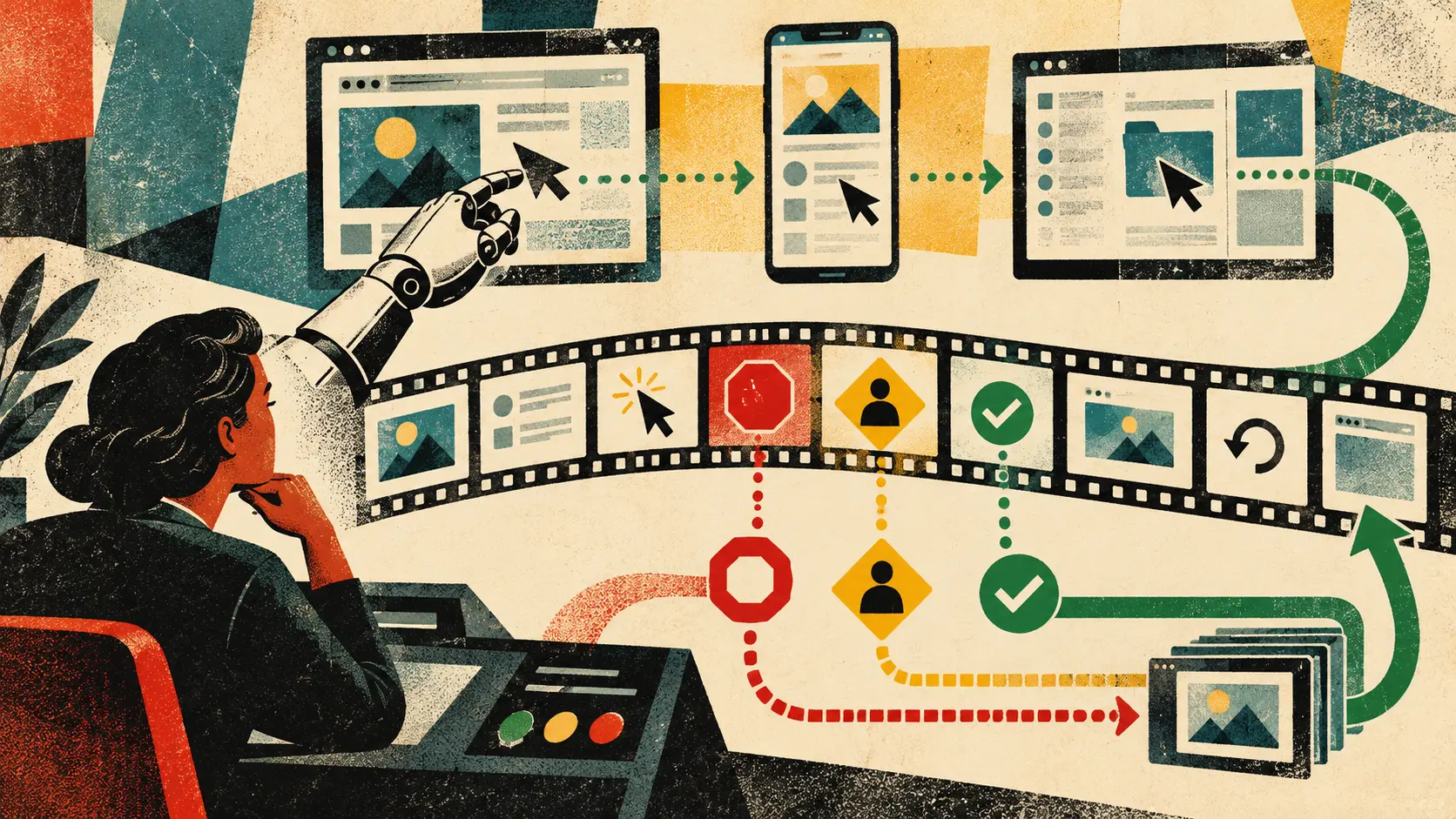
A computer-use agent does not click the button. It suggests a click. Your software receives coordinates, scales them to the screen and performs the action. That sounds like a technical footnote until the button says Send, Buy, Delete, Accept or Share. Then the difference between suggested and executed becomes the whole story. Google released its Computer Use tool to general availability on October 30 across the Gemini Interactions and GenerateContent APIs. The tool supports agents that work through browser, mobile and desktop interfaces. The basic loop is straightforward. An application sends a task, configuration and screenshot to a supported Gemini model. The model returns a function call for an interface action such as a click, scroll or keystroke. Gemini 4 and Gemini 3.x models can also return an intent explaining why the step was chosen. A separate safety decision may classify the action as allowed, requiring confirmation or blocked. Then the developer's client decides what happens. If the action is allowed, or a person confirms it, the client parses the function call and executes it through an automation layer such as Playwright. The client captures the new screen and sends that result back to the model. The cycle repeats until the task finishes or stops. Google lists Gemini 4 Argon, Gemini 3.8 Flash, Gemini 3.5 Flash-Lite and Gemini 3 Flash Preview as models that support Computer Use. The documentation calls Gemini 3.8 Flash the recommended model for the tool. The general-availability label is the important platform change. It means developers can treat Computer Use as a supported production capability across the two APIs rather than only a preview experiment. It does not mean the agent is generally correct. Google's documentation says Computer Use may contain errors and security vulnerabilities. It recommends close supervision for important tasks and says developers should avoid using it for critical decisions, sensitive data or actions where serious errors cannot be corrected. That warning belongs beside the GA badge, not in a drawer underneath it. The practical response is an action replay. Not a video recorded after the incident. Not a final chat message saying the task succeeded. A structured, step-by-step record that lets a user, engineer, security reviewer or investigator reconstruct what the agent saw, what it meant to do, what the safety system decided, what the client actually executed and what changed next. Start with the task contract. Record the user's goal in plain language. Then record the authority the application derived from it. "Find three hotels" permits research. "Book the cheapest refundable room under $250" may permit a transaction within a narrow price and cancellation boundary. "Handle the trip" is not a magic wand. The replay should show the allowed sites, accounts, data, actions, spending limit, confirmation rules, deadline and stop conditions. It should also show what the agent was forbidden to do. Without that contract, reviewers can see every click and still not know whether the sequence was authorized. Record the starting state. Save the screenshot supplied to the model, the page or application identity, viewport, active account, locale, time, relevant accessibility state and any important browser or device condition. Redact secrets in the user-facing view, but preserve enough protected evidence for investigation. A coordinate without its screen is meaningless. A click at 450 by 120 might open search results on one layout, delete a message on another or hit empty space after a pop-up shifted the page. The replay must bind every coordinate to the exact state that produced it. Record the model and configuration. Store the model identifier, tool version, environment, thinking level, safety-policy configuration, excluded actions, allowlists, blocklists and whether prompt-injection detection was enabled. If the application supplied a custom system instruction, preserve its version or digest. The product name is not a reproducibility record. An agent running Gemini 3.8 Flash in a restricted browser with checkout blocked is not the same system as one running Gemini 4 Argon on a desktop with file deletion enabled. Record the proposal. Keep the model's function call, arguments and intent. The intent is useful because it exposes the local plan in human terms. "Click the blue button" is an action. "Submit the completed application" is an intent. If the button moved, the action might be wrong even when the intent remained reasonable. If the intent violated the task contract, the problem began before the coordinate. Separating those layers helps teams diagnose whether a failure came from planning, perception, grounding, execution or a changed interface. Record the safety decision. Google documents built-in categories for financial transactions, sensitive-data modification, communication tools, account creation, data modification, user-consent management and legal terms or agreements. The response can require confirmation or block an action. Developers can also configure overrides for selected policies, although Google says the model may still require confirmation and that applications should always handle safety decisions. The replay should show which category fired, the explanation, the resulting decision and every configured override. If a developer disabled a policy, do not hide that fact behind a green success marker. An override is part of the causal chain. Record the confirmation. When a person is asked to approve an action, show exactly what was presented. Capture the visible consequence, relevant data, destination, amount, deadline and alternatives. Record who confirmed, when, for which single action or bounded sequence, and whether the screen changed between the request and approval. A generic "Continue?" dialog is not meaningful consent when the underlying action is accepting a contract or sending a private file. Confirmation should attach to the state the person reviewed. If the page changes, the confirmation expires. Record the execution. The client application owns this part. Keep the function actually invoked, scaled coordinates, text typed, key pressed, URL requested, handler version, execution time and result. If the client modified, rejected or partially executed the model's proposal, show the difference. This protects both sides of the boundary. The model may propose one thing while a faulty client does another. A client may claim the model chose an action that was inserted by application logic. A clean replay distinguishes proposal from execution. Record the new state. Capture the screen after the action and link it to the prior state. Show whether the expected element changed, a navigation occurred, a transaction entered a pending state, an error appeared or an unrelated pop-up covered the result. Do not let the agent declare success only because it clicked. The new state must support the claim. If a checkout page displayed a spinner, the order is not complete. If a message moved from draft to outbox, it may not have been delivered. If a file disappeared from the current folder, it may have been moved, deleted or hidden by a filter. Action is not outcome. Record the evidence for completion. At the end of the task, list the claims the agent is making and the state evidence behind each one. A booking needs a confirmation number and cancellation terms. A sent message needs a destination and delivery state. A changed setting needs the resulting value. A deleted file needs its recovery state and retention window. If the agent cannot establish completion, label the result uncertain. Uncertainty is cheaper than a fake receipt. Now add the rollback path. For every consequential action, state whether it can be reversed, how, by whom and until when. Link the original step to the compensating action. Preserve dependencies. Undoing a purchase may require cancelling an order and reversing payment. Restoring a file may not restore its sharing permissions. Deleting a newly created account may not retract data already sent to a third party. The replay should not pretend that one curved arrow repairs the world. It should show the steps and the gaps. Prompt injection needs special treatment. Computer-use agents read screens full of material that may be untrusted. A webpage can contain instructions intended for the model rather than the human. Google documents screenshot scanning that can detect hidden adversarial instructions and block execution for Gemini 3.5 Flash-Lite or later. That feature is opt-in. The documented default is false. Teams should record whether scanning ran, which screenshot was checked, what it found, the rule version and whether the application stopped, asked for help or continued. Prompt-injection detection is another signal, not a force field. Visible instructions, image-based attacks, compromised sites and novel patterns can still create risk. The secure boundary remains the execution environment. Google recommends a sandboxed virtual machine, container or dedicated browser profile with limited permissions. Its guidance also recommends allowlists, blocklists, content guardrails, input sanitization, consistent environments and detailed logs of prompts, screenshots, proposed actions, safety responses and executed actions. Those recommendations fit the action replay because a replay is useful only if the system cannot quietly act outside it. Give the agent a narrow environment. Do not mount personal folders it does not need. Do not reuse a browser profile full of saved sessions. Use temporary credentials where possible. Restrict navigation. Block actions the task never requires. Set time, cost and step limits. Keep a stop control outside the agent's own interface. Then test the replay. Run tasks with moving buttons, delayed pages, stale screenshots, hidden tabs, overlapping dialogs, interrupted network connections and ambiguous completion states. Add malicious instructions to test pages. Trigger every safety category. Confirm that blocked actions remain blocked even when the model tries another route. Test the person too. Can someone understand the confirmation before acting? Can they pause the task? Can they revoke credentials? Can they find the exact step that shared data? Can customer support see enough evidence to fix the problem without exposing unrelated private material? Can a security team search replays across incidents without turning the log store into a second surveillance system? Retention needs boundaries. Screenshots can contain passwords, health data, private messages, financial details and information about people who never agreed to be part of an agent trace. Action replays should use access controls, encryption, redaction, purpose limits, retention schedules and deletion rules. The detailed audit layer should not become a permanent scrapbook of everyone's screen. Provide two views. The user view should be short, visual and actionable. It should show the task, major steps, approvals, outcome and undo path. The audit view should preserve protected technical evidence for debugging, incident response and compliance. The two views must refer to the same underlying events. General availability is meaningful because it moves computer use closer to ordinary product infrastructure. More teams can now place agents between a request and a working interface. That also moves responsibility closer to the developer. Google supplies the model response, safety signals and documentation. The application supplies the environment, permissions, policy configuration, confirmation design, action handler, logging and recovery path. The model proposes. The client executes. The replay must show both.
01
WHAT ACTUALLY CHANGED
Google released the Gemini Computer Use tool to general availability on October 30, 2026
The tool is generally available across both the Interactions and GenerateContent APIs
Computer Use supports browser, mobile and desktop environments through a client-managed action loop
The model receives the task, configuration and current screenshot, then returns a proposed function call for an interface action
Gemini 4 and Gemini 3.x responses can include an intent explaining why the model proposed each step
A safety decision can classify an action as allowed, requiring confirmation or blocked
The developer application executes the proposed action, captures the new screen state and sends the result back to the model
Google documents built-in safety categories, configurable overrides and opt-in screenshot scanning for prompt injection
Google lists Gemini 4 Argon, Gemini 3.8 Flash, Gemini 3.5 Flash-Lite and Gemini 3 Flash Preview as supported models
02
WHY THIS MATTERS
General availability makes computer use a supported production capability rather than only a preview experiment
The client application, not the model alone, controls the execution environment, permissions and final action handler
A proposed action can be reasonable while its coordinates are wrong because the screen changed, a dialog appeared or the layout shifted
Safety decisions and human confirmations are useful only when applications preserve and enforce them at the correct step
Prompt injection can arrive through the screen the model is reading, while Google’s screenshot scanning is opt-in and disabled by default
A final success message does not prove that a purchase, message, setting change or file operation reached the intended state
Detailed replay evidence can support debugging, user correction, incident response and accountability without blaming every failure on the model
03
WHERE IT COULD HELP
- Record the user goal, allowed actions, prohibited actions, sites, accounts, data scope, limits and stop conditions before execution
- Bind every proposed coordinate and keystroke to the exact screenshot and interface state the model received
- Preserve the model, tool version, environment, thinking level, safety configuration, prompt-injection setting and system-instruction version
- Log the proposed function call, model intent, safety decision, policy category, override and human confirmation separately
- Record the client action actually executed, including scaled coordinates, text, handler version, time and any difference from the proposal
- Capture the resulting state and require visible evidence before marking a task complete
- Attach a reversal status, deadline, compensating action and unresolved dependency to every consequential step
- Use a sandboxed environment, narrow permissions, allowlists, blocked actions, temporary credentials and an external stop control
- Offer a concise user replay and a protected technical audit layer with redaction, access controls and retention limits
KEEP A HAND ON THE WHEEL
Watch for independent reliability and security evaluations of the generally available tool, changes to supported models, default prompt-injection scanning, safety-policy behavior, logging interfaces and incident reporting. The practical test is whether production applications can reconstruct the exact path from user authority to model proposal, confirmation, executed action, resulting state and rollback.
04
TERMS WORTH KEEPING
SOURCES AND VERIFICATION STATUS
This article was written from the materials below. Product claims and dates were checked against those sources on October 31, 2026.
PUBLICATION RECEIPT: First edition. Verified against Google’s October 30 Gemini API release notes, current Computer Use documentation and Gemini 3.8 Flash model page.
THE PUBLICATION ENGINE
WANT A SIGNAL OF YOUR OWN?
We build source-grounded publications, private briefings, and editorial systems for organizations with something useful to say.
WORK WITH US