THE SIGNAL IN ONE SENTENCE
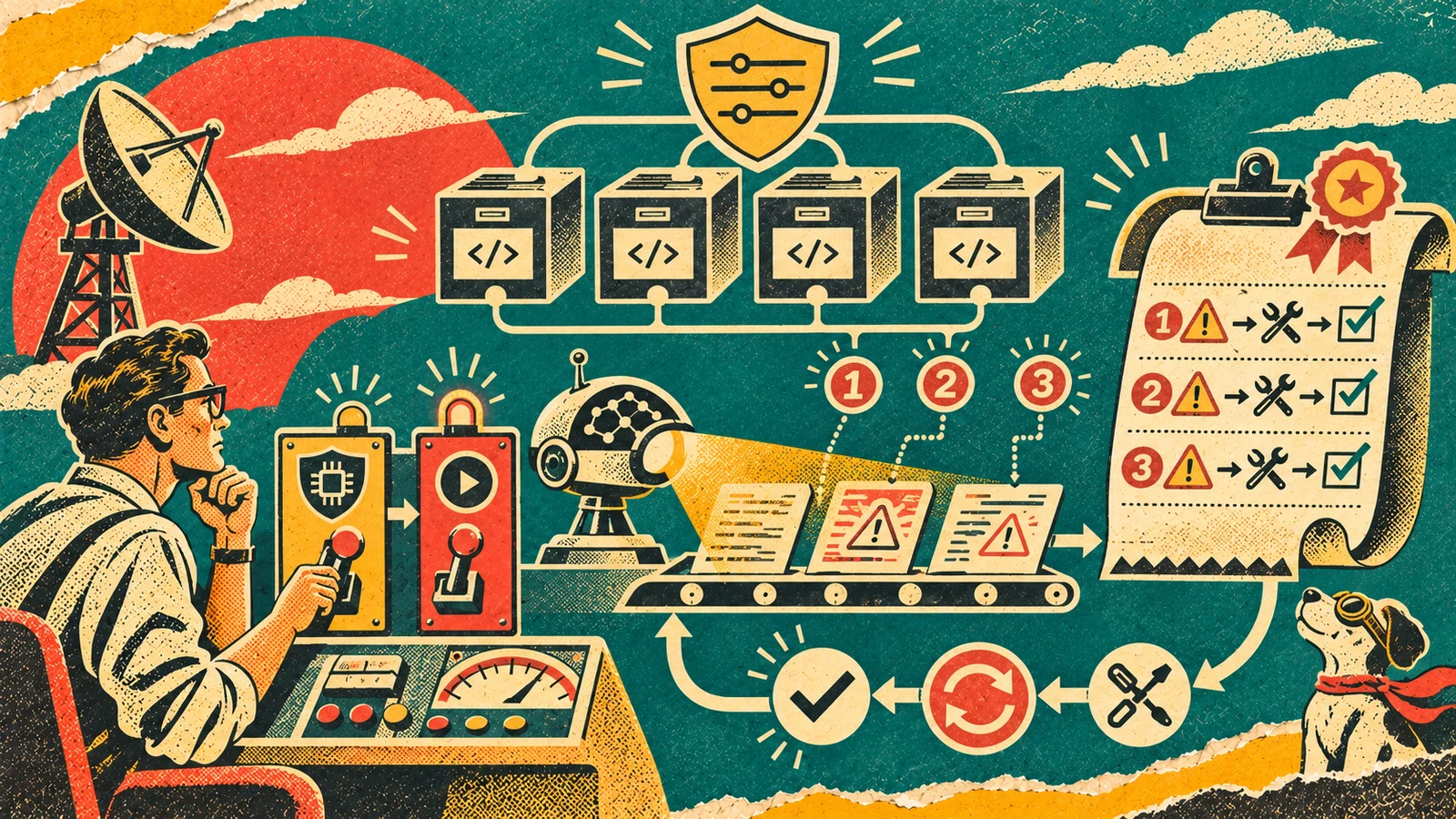
The switch is now scriptable. The evidence is not. GitHub added REST controls for AI Scan for repositories on November 13. Organization owners and security managers can enable or disable the setting across an organization, and repository administrators can manage the repository setting. Enterprise policy can block enablement. Repositories can inherit an organization setting and opt out where policy permits. This is useful. A security team no longer has to click through hundreds of repository settings and hope its wrist survives. It is also easy to misunderstand. Enabling AI Scan does not start a scan. GitHub says that plainly in both the announcement and current documentation. A user with write access still starts an on-demand scan. The scanner then examines the latest commit on the default branch. It uses an agentic process to choose code that looks likely to contain vulnerabilities, works within a fixed time and credit budget, and publishes findings into the normal code scanning alert list. That means the new API automates configuration, not assurance. The plain signal is this. If a rollout ends with a green setting, it has recorded intent. If it ends with a linked policy, scanned commit, findings, owners, fixes and rescan result, it has recorded evidence. Build the second thing. Start with a declared inventory. List every repository the organization expects to protect. Record its owner, visibility, default branch, security tier, archival status, deployment type and whether it is eligible for AI Scan. Public repositories in organizations can use the preview. Private and internal organization repositories need GitHub Code Security or GitHub Advanced Security. Private repositories in personal accounts are not supported. GitHub Enterprise Server is not supported. The exclusions belong in the report. A repository that cannot be scanned is not absent risk. It is known uncovered scope. Next, load policy before touching a setting. GitHub's enterprise policy can prohibit AI Scan. If that policy blocks enablement, an attempted organization update returns a 422 response. Organization owners and security managers can manage the organization setting. Repository administrators can opt a repository out when the organization allows that choice. Treat those relationships as an inheritance tree, not a pile of independent switches. The enterprise says whether the feature may be used. The organization establishes a default. The repository inherits that default or records a permitted exception. An automation job should capture all three layers with the actor, time and API response. Do not swallow a 422 and continue in silence. Do not relabel a 403 as a temporary network problem. Put blocked policy, missing permission and unsupported scope into different exception categories. The person reading the report should know whether to change a policy, grant a role or accept an exclusion. GitHub added repository_scan to existing code scanning configuration endpoints. At the organization level, teams can read or update the AI Scan configuration through GET and PATCH requests under /orgs/{org}/code-scanning/ai-scan. At the repository level, the corresponding path sits under /repos/{owner}/{repo}/code-scanning/ai-scan. The REST reference spells out the required administration permissions. Separate the identity that reads inventory from the identity that changes configuration. A daily inventory job usually needs no power to edit settings. A rollout job can use a short-lived credential with the narrow administration scope required for the intended repositories or organization. Before every PATCH, fetch the current state. Compare it with the declared state. Change only the repositories that differ. Capture the request, status, returned configuration and policy source. Run the same job again and expect no changes. That is the idempotency test. If a second run keeps flipping settings or producing new exceptions, the automation has not reached stable state. GitHub also allows pull request scanning and repository scanning settings to be updated together. The November 13 announcement says the change is atomic when both fields are supplied. If policy blocks one requested setting, neither changes. Atomic updates are welcome. They also make the receipt more important. Record the entire requested object and the entire response. A dashboard that shows only the repository_scan value can hide the fact that a paired pull request setting was rejected with it. Now split the evidence into three receipts. The settings receipt answers whether the scanner was allowed and enabled. It should contain enterprise policy, organization default, repository state, actor, credential identity, request time, response status and exception reason. The scan receipt answers what actually ran. It should contain the repository, default branch, exact commit identifier, initiating actor, start and completion times, scan status, credit use, budget, tool context and any execution error. The findings receipt answers what the team did with the result. It should contain each alert number, rule or weakness, severity, location, evidence, assigned owner, disposition, linked issue or pull request, fix commit, reviewer and closure result. Keep the three receipts connected, but do not pretend they are the same event. A repository can be enabled and never scanned. A scan can finish with findings that nobody owns. A finding can have a merged fix while the alert remains open. One happy checkbox can conceal all three failures. The scanner itself needs honest boundaries. GitHub describes AI Scan as an agentic scanner that selects likely vulnerable areas of the codebase. It supports all programming languages and runs independently of CodeQL. It can look at languages and frameworks that CodeQL does not support and may find additional issues in code CodeQL already covers. It is not exhaustive. Current documentation says the detection phase is limited to 30 minutes and 150,000 Code Security AI credits. The scan examines the latest commit on the default branch. Scheduled scans and automatic scans on push are not supported in the preview. Self-hosted runners are not supported. Each on-demand scan consumes Code Security AI credits. Put those limits beside the results. Zero findings can mean the scanner found nothing in the areas it selected during that run. It does not prove that the repository has zero vulnerabilities. A partially scanned monorepo, a generated-code-heavy service and a small library do not carry the same residual uncertainty. GitHub says it tries to avoid reporting issues that CodeQL already reports, but the matching is best effort. Duplicates can occur. The receipt should link related alerts rather than counting each one as an independent discovery. Human review remains the hinge. GitHub warns that AI Scan findings can be inaccurate and must be reviewed. Require a reviewer to confirm the vulnerable path, affected version, reachable condition and proposed remediation before a severe alert becomes an emergency project. Record why an alert was accepted, dismissed, reduced or raised in priority. A false positive without a reason becomes a recurring argument. A dismissal with a reproducible explanation becomes institutional memory. Do not reward the program for closing alerts quickly if closure can be achieved by hiding uncomfortable results. Track confirmed findings, duplicate findings, accepted risk, false positives, fixes awaiting verification and unresolved alerts separately. The fix needs its own trail. Link the alert to the pull request or issue. Record the changed files, tests, reviewer and merge commit. If an automated fix or agentic autofix was used, keep the proposed patch and the human approval. A generated patch is evidence of an attempt, not proof of a repair. Then rescan. GitHub notes that merging a fix does not necessarily close the AI Scan alert. Unless the exact flagged line changes in a way the platform recognizes, a new scan is needed to confirm closure. Put the rescan task in the same workflow that records the merge. Otherwise the story ends precisely where verification should begin. The rescan receipt should point to the new default-branch commit, record whether the original finding disappeared, note any replacement alert and preserve remaining risk. If the rescan could not run because of budget, policy or platform limits, say so. Budget is a security control too. Each scan consumes Code Security AI credits. A fleet-wide rollout can turn a useful test into a surprising invoice if enablement, scan initiation and retry behavior are bundled together. Keep enablement separate from execution. Define a daily or campaign budget, cap concurrent scans, stop retries after a declared threshold and publish credit use per repository. The safest rollout is a canary. Choose a small set of representative repositories. Include different languages, sizes, ownership models and existing CodeQL coverage. Enable the setting, capture the settings receipt, start one scan per repository, validate findings and run the closure loop. Only then move through the inventory in batches. The canary should test operations as much as detection. Can the team identify the commit? Can it assign the right owner? Can it distinguish duplicate alerts? Can it reproduce a dismissal? Can it link a fix and prove the rescan? Can it explain every excluded repository? If not, scanning more repositories creates a larger inbox, not a stronger program. Publish a compact coverage view. For each repository, show eligible, setting state, latest scanned commit, scan age, open findings by disposition, owner, unresolved severe findings, next action and exclusion reason. Make stale scans visible. A repository that changed a thousand commits after its last on-demand scan should not wear the same green badge as one scanned this morning. The API makes configuration as code possible. Use version control for the desired policy, repository exceptions and rollout batches. Require review for changes. Preserve the diff. Let a team answer who enabled the scanner, where, under which rule and when. Then treat findings as evidence as code. Store identifiers and decisions in a durable security system. Do not copy source code or sensitive alert details into casual logs. Apply access controls, retention and redaction. Keep enough detail to reproduce a decision without turning the audit trail into a new leak. AI Scan is a public preview. Its endpoints, limits, quality and billing behavior can change. Version the automation, monitor the documentation, and rerun the canary when GitHub changes the service. The REST controls are a solid addition. They make the fleet governable and reduce manual drift. The API can move the switch. The receipt proves whether anyone finished the job.
01
WHAT ACTUALLY CHANGED
GitHub added REST controls for AI Scan for repositories at organization and repository levels on November 13, 2026.
The organization endpoints can read and update repository AI Scan policy for an organization.
The repository endpoints can read and update the AI Scan setting for an individual repository.
Enterprise policy can prohibit enablement and cause an attempted update to return a 422 response.
Repositories can inherit an enabled organization setting and opt out when policy permits.
Organization owners and security managers can manage the organization setting, while repository administrators can manage repository opt-out.
Pull request scanning and repository scanning can be changed atomically through the configuration API.
Enabling the setting does not start a scan, and a user with write access must initiate the on-demand scan.
AI Scan examines the latest commit on the default branch and publishes results in the standard code scanning alert list.
Each on-demand scan consumes Code Security AI credits.
02
WHY THIS MATTERS
A fleet-wide setting can be automated without proving that any repository was actually scanned.
Enterprise, organization and repository settings form an inheritance chain that needs one traceable policy record.
A zero-finding result is not proof of zero vulnerabilities because the agent selects code under time and credit limits.
Default-branch-only scanning leaves other branches and newer commits outside the recorded scan result.
Findings can be inaccurate or duplicate CodeQL alerts, so human validation remains necessary.
A merged fix may not close an alert until a new scan verifies the current default-branch commit.
Per-scan AI credits make budget, retry and concurrency controls part of a responsible rollout.
Unsupported and policy-blocked repositories still represent risk and should appear in the coverage report.
A durable findings receipt connects configuration, execution, triage, remediation and closure.
Least-privilege automation reduces the blast radius of a credential used across many repositories.
03
WHERE IT COULD HELP
- Create a declared inventory with repository owner, visibility, default branch, security tier and eligibility.
- Record enterprise policy, organization default and repository exception as separate layers.
- Use a read-only identity for inventory and a short-lived administration identity for approved changes.
- Fetch current state before every update and change only repositories that differ from declared state.
- Capture the complete request, response, actor, time and status for every settings change.
- Classify policy blocks, missing permission and unsupported scope as different exceptions.
- Keep enablement separate from scan initiation so rollout does not create an uncontrolled credit bill.
- Record the exact default-branch commit, initiating actor, timing, status and credit use for every scan.
- Link every alert to its reviewer, disposition, owner, issue or pull request and due date.
- Preserve the reason and supporting evidence for every false-positive or accepted-risk decision.
- Deduplicate related AI Scan and CodeQL alerts without erasing either original identifier.
- Link the fix commit, tests and human reviewer to the original finding.
- Create a rescan task when a fix merges and record whether the finding disappears on the new commit.
- Publish stale scans, excluded repositories, unresolved severe findings and next actions in the coverage view.
- Roll out through representative canary repositories before enabling larger batches.
- Version the desired policy and rerun the canary when the preview, endpoints or limits change.
KEEP A HAND ON THE WHEEL
GitHub's November 13 changelog confirms that AI Scan for repositories can now be managed through REST endpoints at organization and repository levels. The announcement confirms enterprise-policy blocking, organization inheritance, repository opt-out, atomic changes when pull request and repository settings are supplied together, role requirements and the fact that enabling the setting does not start a scan. GitHub's October 28 preview announcement and current AI Scan documentation confirm that the scanner examines the latest default-branch commit, selects likely vulnerable code through an agentic process and sends findings to the normal code scanning alert list. Current documentation says the detection phase is limited to 30 minutes and 150,000 Code Security AI credits. Scheduled scans, automatic scans on push and self-hosted runners are not supported. Each on-demand scan consumes Code Security AI credits. GitHub says matching with CodeQL alerts is best effort and duplicates can occur. It also warns that AI-generated findings can be inaccurate and require review. Private and internal organization repositories require GitHub Code Security or GitHub Advanced Security. Private personal repositories and GitHub Enterprise Server are not supported. The settings, scan and findings receipt design, least-privilege split, canary rollout, budget controls and coverage reporting in this article are Plain Signal analysis. REST-control announcement date: November 13, 2026. AI Scan public-preview announcement date: October 28, 2026. Verified November 15, 2026.
04
TERMS WORTH KEEPING
OPEN GLOSSARY CARD
False positive
A result that incorrectly labels a negative case as positive, such as calling human writing AI-generated.
OPEN GLOSSARY CARD
Human control
The practical ability and authority of people to understand, direct, interrupt or stop an automated process before unacceptable harm occurs.
OPEN GLOSSARY CARD
Audit trail
A durable record of actions, changes, identities, and times that lets someone reconstruct what happened.
SOURCES AND VERIFICATION STATUS
This article was written from the materials below. Product claims and dates were checked against those sources on November 15, 2026.
THE PUBLICATION ENGINE
WANT A SIGNAL OF YOUR OWN?
We build source-grounded publications, private briefings, and editorial systems for organizations with something useful to say.
WORK WITH US