THE SIGNAL IN ONE SENTENCE
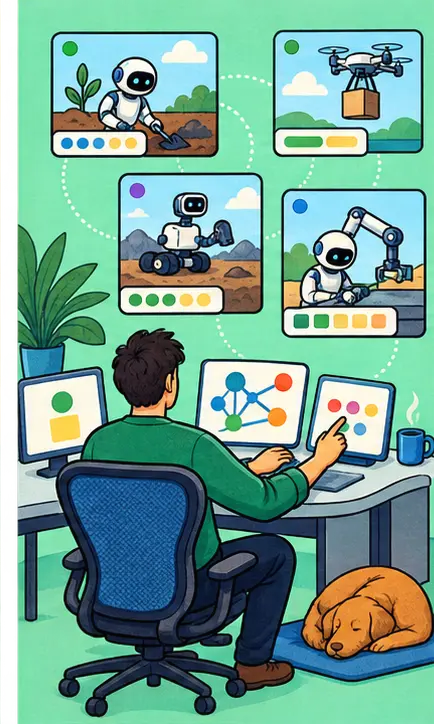
The code editor is becoming a control room where a person can run several agent conversations, compare approaches, inspect changes, and send precise feedback without losing the original task.
01
WHAT ACTUALLY CHANGED
GitHub’s August release summary covers VS Code versions 1.132 through 1.135. The Agents window can arrange chats side by side, reopen their layouts, navigate from prompts to related file changes, and continue some sessions created in other applications.
A side-conversation command can share the main chat’s context and prompt cache while the original keeps running. An experimental second-opinion command asks another model to look for missed details and edge cases. Some features are generally available while others remain experimental.
The integrated browser now lets a person select several page elements and return targeted visual feedback to an agent in one batch. This closes a familiar gap between seeing a problem on the page and explaining exactly where it lives in the code.
02
WHY THIS MATTERS
The bottleneck in agentic work is shifting from generating code to supervising parallel work. People need a durable view of which agent owns which task, what changed, how much context it used, and where human review is still required.
A good control room does not hide the work behind a stream of cheerful messages. It keeps sessions, diffs, prompts, browser feedback, and second opinions connected to the same evidence trail.
03
WHERE IT COULD HELP
- Compare two implementation approaches without mixing their conversations
- Open a small side question without interrupting a long-running task
- Annotate several visible page problems and return them as one precise review
- Continue a known agent session across compatible tools and windows
KEEP A HAND ON THE WHEEL
The August bundle mixes stable and experimental features. Availability can depend on the provider, account, setting, and VS Code version, so every feature should be checked before a workflow depends on it.
04
TERMS WORTH KEEPING
OPEN GLOSSARY CARD
Context window
The amount of input and generated material a model can consider during one call.
OPEN GLOSSARY CARD
Context window
The amount of information a model can actively consider at one time.
OPEN GLOSSARY CARD
Agent session
One continuing record of an agent task, including its context, actions, and results.
SOURCES AND VERIFICATION STATUS
This article was written from the materials below. Product claims and dates were checked against those sources on August 31, 2026.
THE PUBLICATION ENGINE
WANT A SIGNAL OF YOUR OWN?
We build source-grounded publications, private briefings, and editorial systems for organizations with something useful to say.
WORK WITH US